



Take it with you
Put it on your phone
Free Bible studies and quizzes in Yorùbá. Works offline.
Choose the icon BEFORE you add the app - that is when it is set.
The cross version is called See More Jesus on your home screen. The plain eclipse is called just See More. Same app, same studies, same saved progress - only the name and the picture differ.
Or a discreet icon. In some places a Bible app on a home screen is not safe. These open a real block-puzzle game; holding Pause opens the studies behind it.
A 4-digit code for the game screen. Only if you want one. It stays on this phone. It is never sent anywhere. You can remove it here at any time.
Bí o bá gbàgbé kóòdù náà, pa àwọn dátà tí ojú-òpó wẹẹ́bù yìí ní nínú aṣàwárí rẹ rẹ́. Ìyẹn yóò tún yọ iṣẹ́ tí o ti fi pamọ́ kúrò.
See how the discreet version works
Àmì tó yàtọ̀ ni a fi kún un láti orí atúmọ̀-ayélujára, kì í ṣe láti inú app náà. Ṣí ojú ìwé yìí nínú Chrome tàbí Safari. Àdírẹ́sì náà ni a máa dà kọ nígbà tí o bá tẹ bọ́tìnnì náà.
On iPhone you must use Safari. Other browsers cannot add the app. Did this page open inside WhatsApp or Facebook? Then choose Open in Safari first.
If that button does nothing: copy this link, open Safari, paste it, then tap Share, then tap Add to Home Screen. Look for the Share icon at the bottom of Safari. It is the square with an arrow pointing up. It is not the Share button on this page.
To use a different picture: 1. Pick the one you want above. 2. Tap Install. 3. Press and hold the old icon on your home screen and remove it. Your saved work is kept. It belongs to the website, not to the icon.
Keep this whole edition on your phone
Best on Wi-Fi.
Your browser may clear this if space runs low.
Pass it on
Kọ́kọ́ yan èdè wọn ní ìsàlẹ̀. Lẹ́yìn náà, yan ọ̀kan lára ọ̀nà méjì láti dé ọ̀dọ̀ wọn: fi àmì QR hàn tàbí fi ọ̀nà asopọ̀ ránṣẹ́ kí wọ́n lè fi gbogbo app náà sí (èyí nílò íńtánẹ́ẹ̀tì lẹ́ẹ̀kan), tàbí yan ojú-ìwé kan ní ìsàlẹ̀ kí o sì fi ránṣẹ́ gẹ́gẹ́ bí fáìlì. Fáìlì kò nílò íńtánẹ́ẹ̀tì rárá, nítorí náà ó ń ṣiṣẹ́ lórí WhatsApp, Bluetooth tàbí káàdì SD.
Fun wọn ni app naa
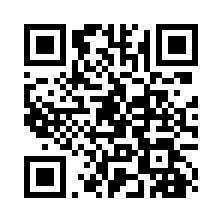
This sends the link to someone else. It does not add the app to this phone.
Fi ìwé kan ránṣẹ́ gẹ́gẹ́ bí fáìlì (kò nílò ìntánẹ́ẹ̀tì)
Sharing spreads the Word, not your record. Your quiz scores and your certificate stay on this phone under your name; whoever you share with starts their own.